Capture Object With additional properties
A Capture Object can carry additional properties next to Tags and Fields:
{
  "Tags": {
    "Serialnumber": "11111"
  },
  "Fields": {
    "value1": 0,
    "value2": 1,
    "value3": 2
  },
  "MyAdditionalProp": {
    "MyAdditionalField": "fieldValue"
  },
  "Timestamp": 1689690810500
}
The whole path, from Collector and local database to Syncer and cloud, only carries additional properties from 2.3.1.
On an older gateway the additionalProperties configuration has no effect and the extra property never reaches
Capture Cloud.
Conditions
- The property name must be configured in the config.
- The property must always be a key-value collection: a number cannot be an additional property.
- The property must have at least one child.
- Capture Cloud must know how to handle the property. Anything it does not recognize is silently dropped. See Handling additional properties for what it supports.
Configure the property name
Additional properties are meant for developers, so they are not configurable in the UI. Click the edit config button to open the JSON Editor.

In the JSON Editor, add the additionalProperties array under collectorSettings → global
(collectorSettings.global.additionalProperties). Leave the other settings in global as they are.
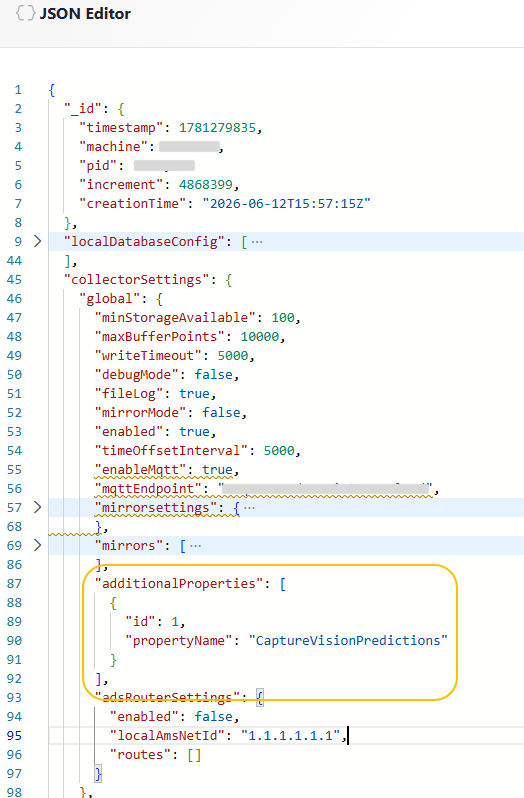
{
  "collectorSettings": {
    "global": {
      "additionalProperties": [
        { "id": 1, "propertyName": "MyAdditionalProp" }
      ]
    }
  }
}
Each entry has these keys:
propertyNameRequired- The name of the property that lives next to
TagsandFields. idRequired- An integer the Collector and Syncer use to identify the property in the local database between collecting and syncing. The value itself does not matter, but it must be unique, and changing it later may cause issues. Keep it short: it is used in the local database field names.
Data transformation
As with regular fields, each field in an additional property is prefixed with the variable name. For a variable
called My Variable, the example above is stored as:
{
  "Tags": {
    "Serialnumber": "11111"
  },
  "Fields": {
    "My Variable_value1": 0,
    "My Variable_value2": 1,
    "My Variable_value3": 2
  },
  "MyAdditionalProp": {
    "My Variable_MyAdditionalField": "fieldValue"
  },
  "Timestamp": 1689690810500
}